
For single family offices & RIAs
Private-markets management, shaped to your family office.
Commitments, managers, fund performance, the family record and the governance around all of it — working on day one, configured to your structure, deployed on your own instance.
A working platform
Commitment tracking, quarterly performance, manager relationships, the family record and role-based access are all there from the start. You are not funding a build from zero.
Shaped to your office
No two family offices share a structure, so Page expects to be changed. It is built on Kyte, our application framework, which means new entities, fields, roles and reports are configuration rather than a rewrite.
Your own instance
Page is deployed per office: your own application, your own database, your own domain. You are not a tenant in a shared system alongside other families.
What it looks like in use
Every screen below is the live product. The family, managers, funds and figures are illustrative — no client information is shown.
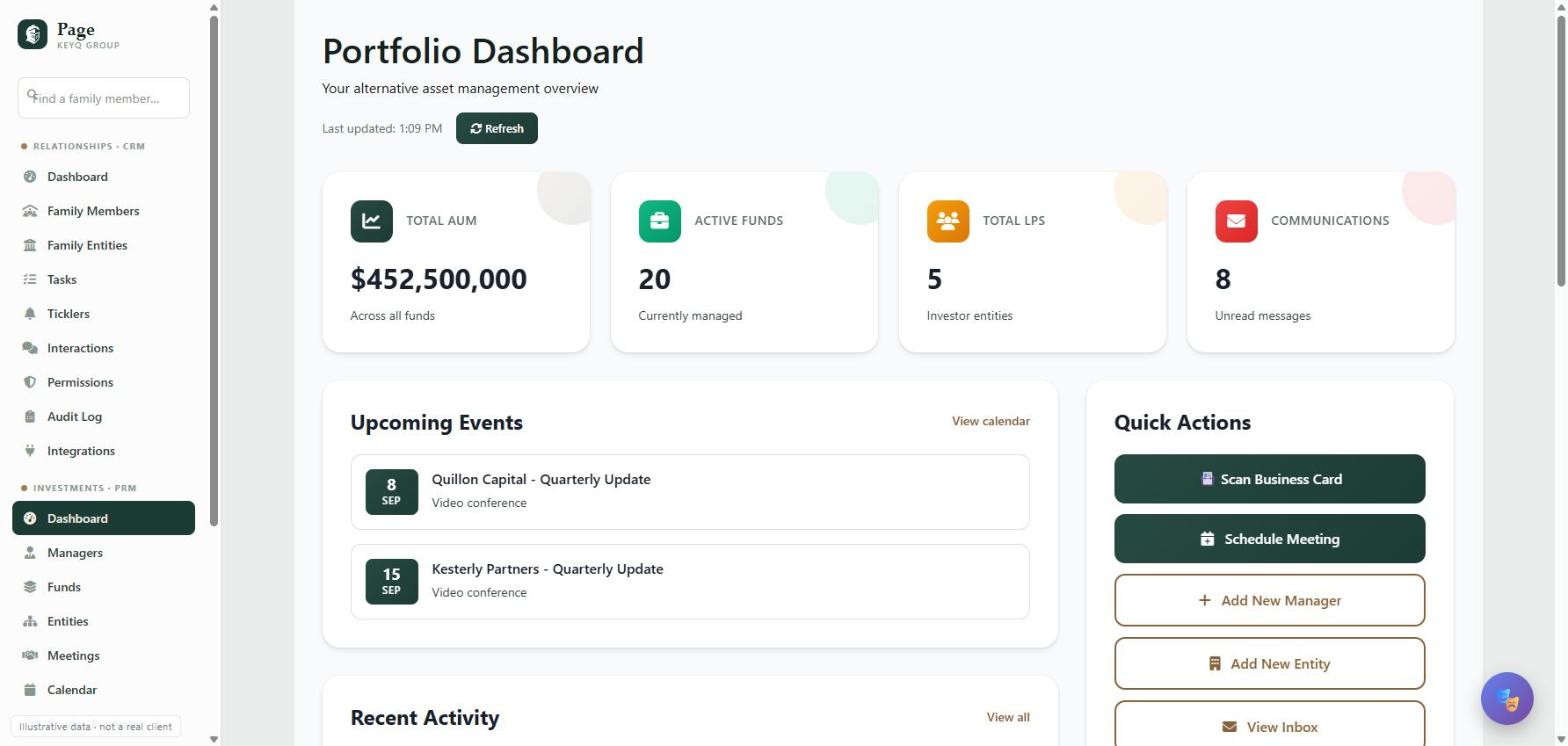
The whole book on one screen
Committed capital, active funds, what is coming up and what needs attention.
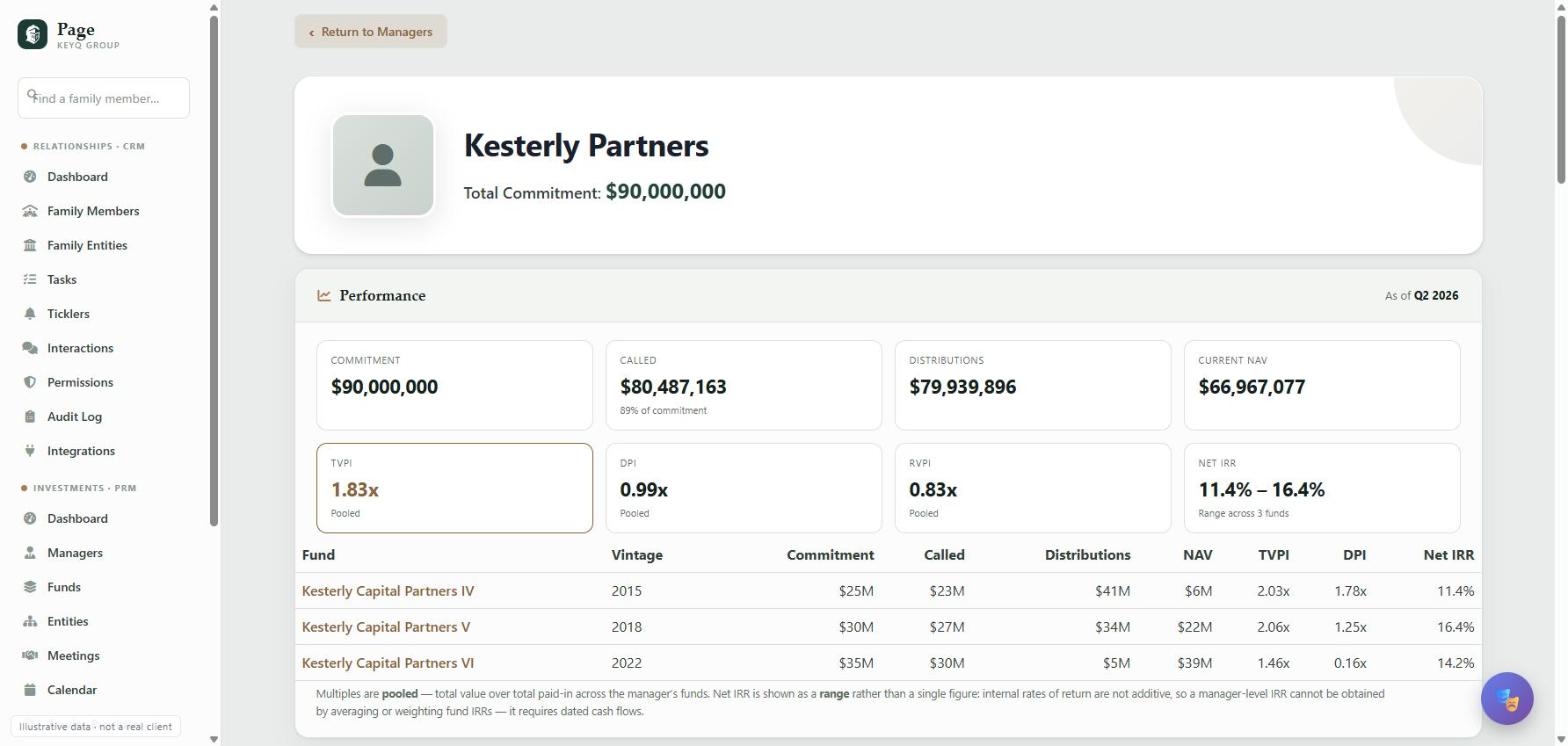
Performance aggregated correctly
Multiples are pooled across a manager's funds. Net IRR is shown as a range rather than a single number, because internal rates of return are not additive — a detail most systems get quietly wrong.
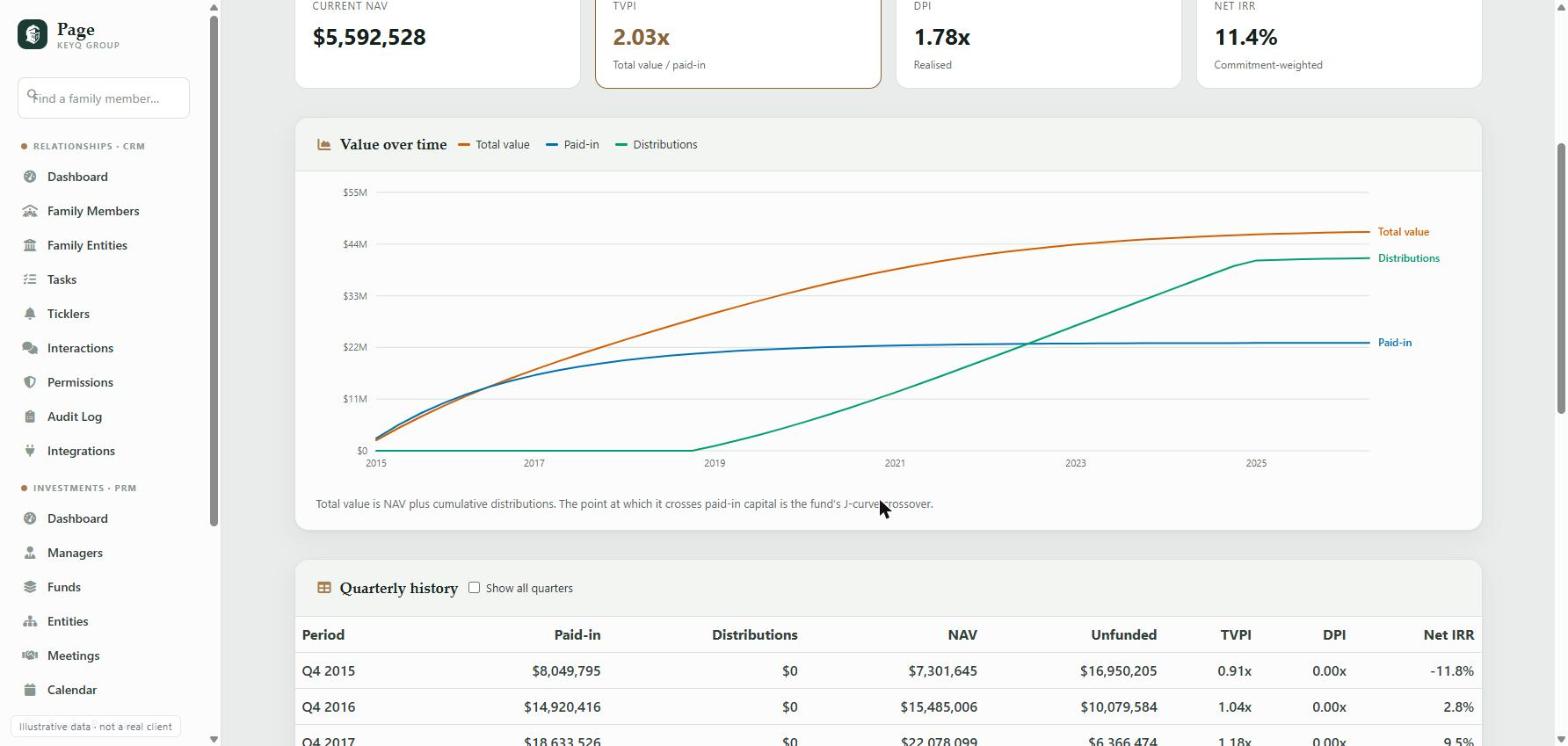
Years of quarterly history behind every number
The J-curve, the point where total value crosses paid-in capital, and the full quarter-by-quarter record underneath it.
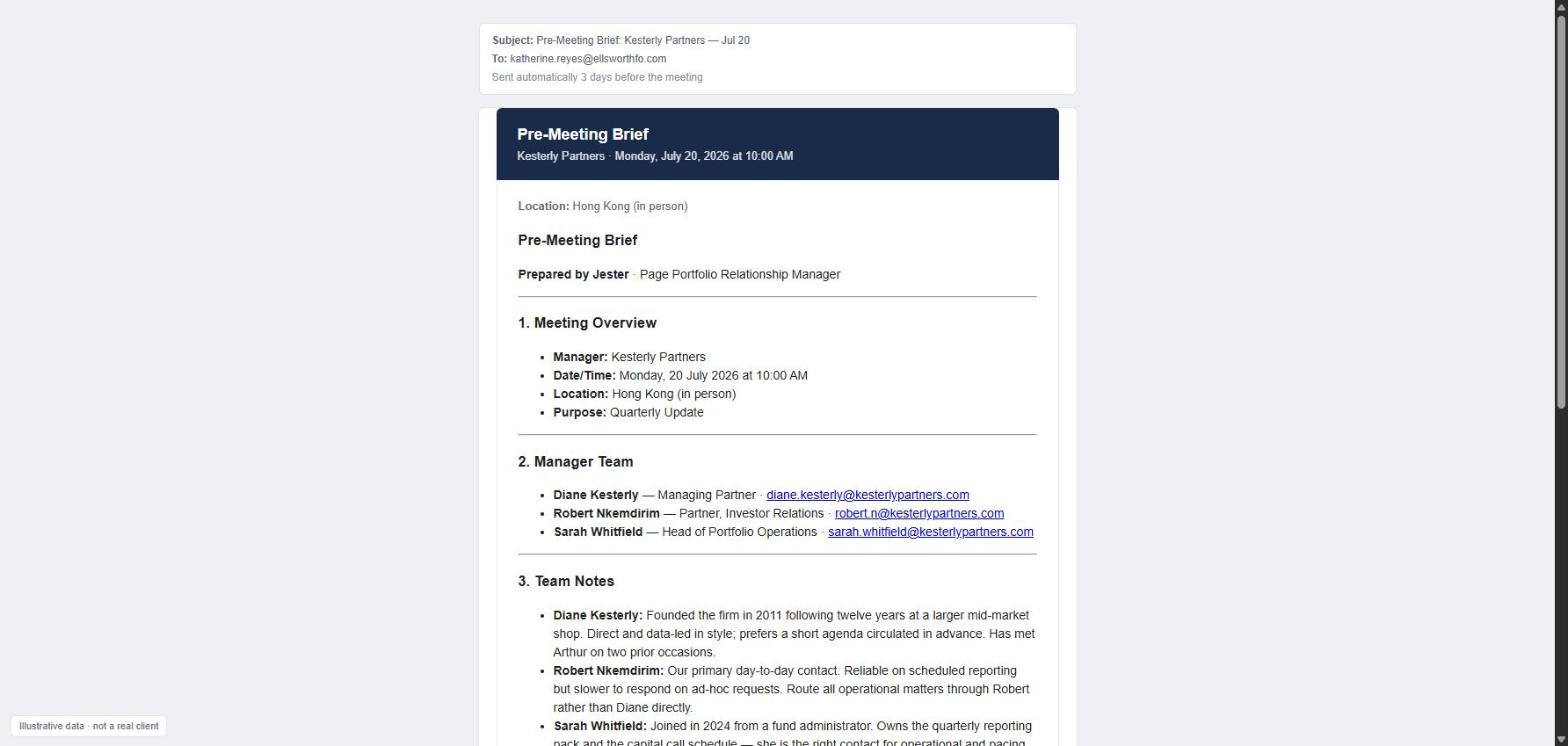
A brief in the inbox before every manager meeting
Composed automatically from the manager's team, the relationship notes on file, attached documents and open follow-ups from prior meetings.
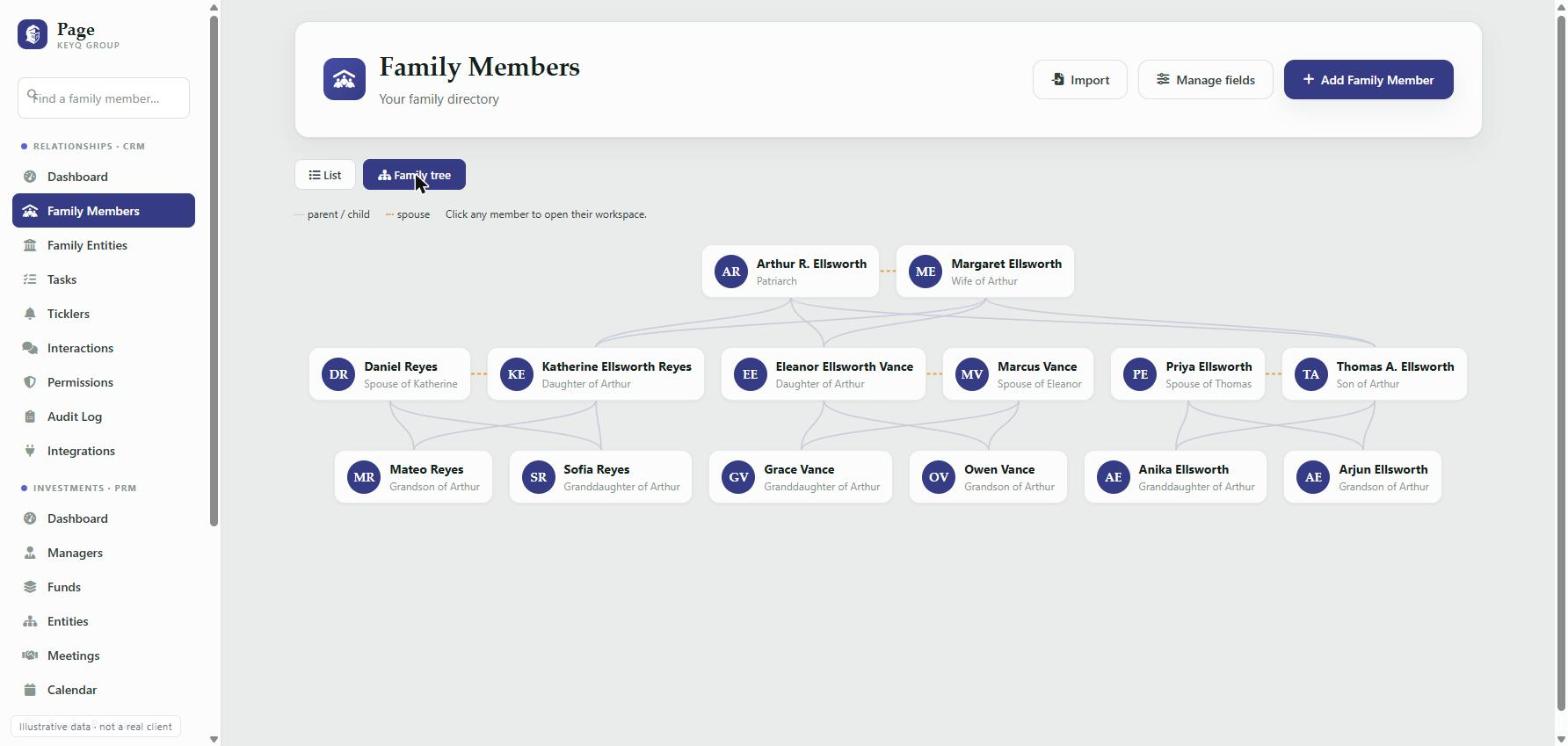
The family, not just the portfolio
Generations mapped, with relationships derived from the graph rather than typed in and maintained by hand.
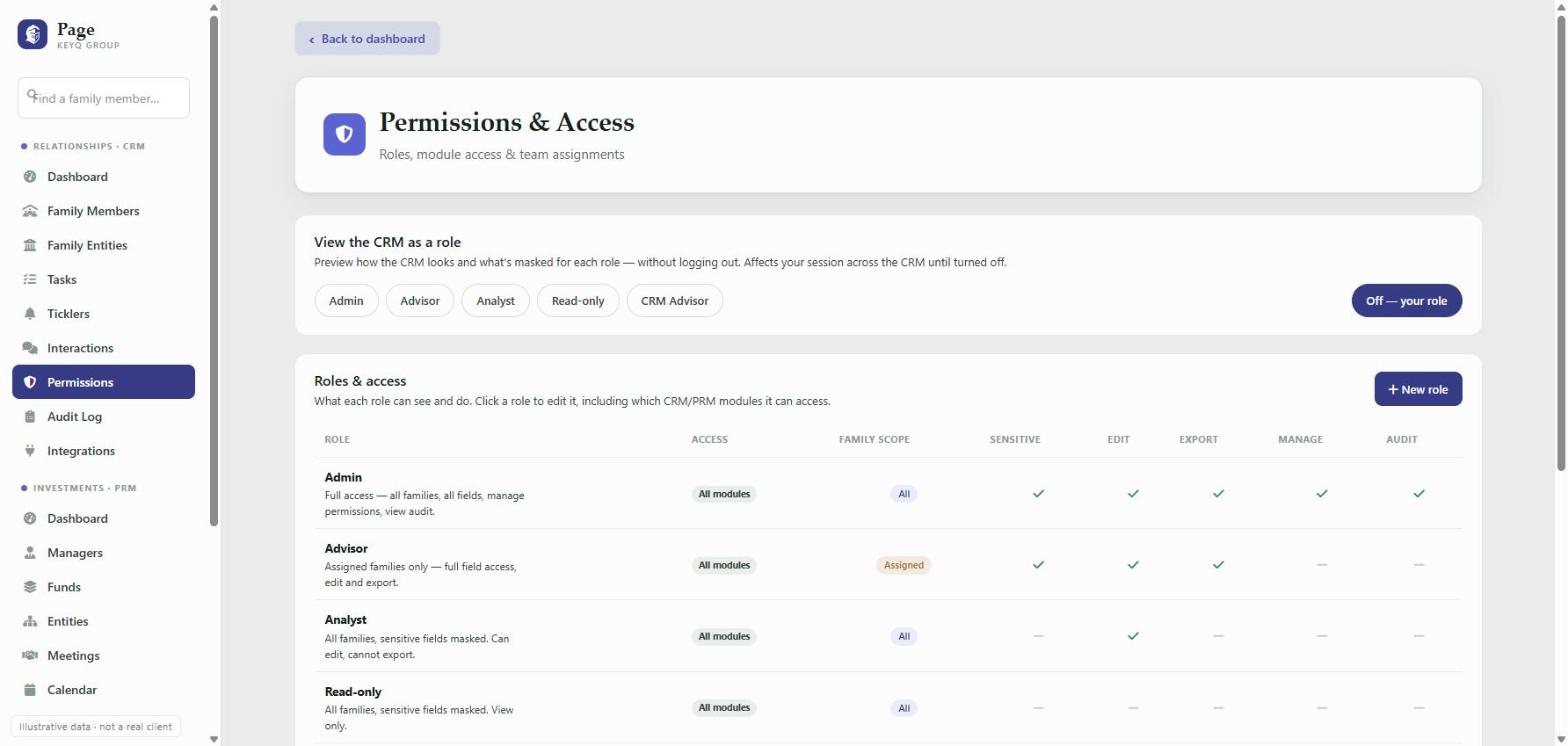
Access you can actually explain
Which modules, which families, which fields — enforced on the server, not by hiding menu items, and every view, edit and export written to an audit log.
What Page manages
Commitments & entities
Commitments tracked per legal entity — trusts, LLCs, foundations — not pooled into one balance.
Managers & funds
Manager relationships, fund terms, vintages, capital calls and the meeting record alongside the numbers.
Quarterly performance
Paid-in, distributions, NAV, unfunded, TVPI, DPI and net IRR, at fund, manager and portfolio level.
The family
Members, generations, relationships, and the custom fields your office decides matter.
Automation
Rules that watch for what people forget — a manager unseen for three years, a statement that never arrived.
Governance
Role-based access down to the field, sensitive-field masking, and a complete audit trail.
Integrations. Manager statements and documents are pulled from Arch, with manager and fund matching reviewed and approved by your team rather than guessed at. Mail and calendar sync through Microsoft 365. Documents and meeting transcripts are summarised on demand. Offices differ, so integrations are part of the build.
How a build works
- 1
Discovery
How the office is structured, what you track today, and where the current process hurts.
- 2
Configure
Entities, custom fields, roles and reporting shaped to that structure — on the running platform.
- 3
Migrate & integrate
Existing records brought across; Arch, mail and calendar connected.
- 4
Deploy
Your own instance, your own data, your own domain.
Talk to us
Tell us a little about your office and we will set up a walkthrough against your own structure rather than a generic demo.
Prefer email? hello@getpage.co